DeerFlow 2.0 Deep Dive — ByteDance's Open-Source SuperAgent Runtime
DeerFlow 2.0 architecture, setup, and first task execution. A SuperAgent runtime with 9 agent nodes, 5 tool sources, and Docker sandboxes.
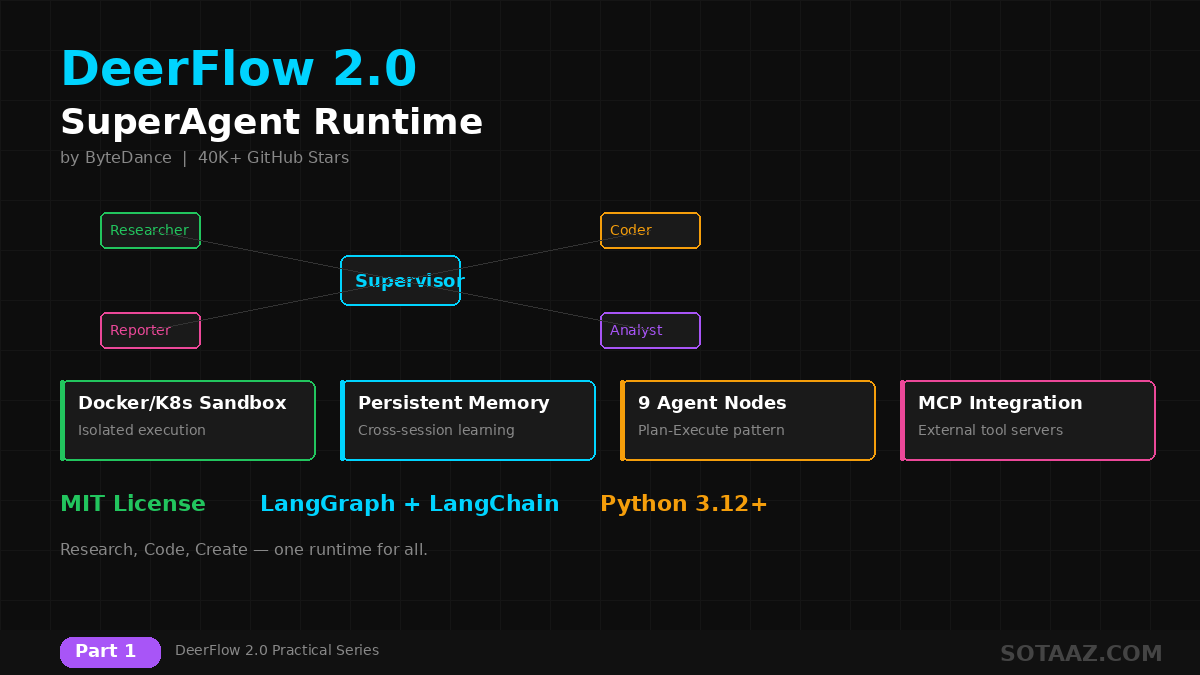
In February 2026, ByteDance released DeerFlow 2.0. It hit #1 on GitHub Trending within 24 hours and crossed 40,000 stars in under a month.
DeerFlow isn't just another multi-agent "framework." It's a SuperAgent runtime with built-in sandboxes, memory, skills, tools, and sub-agents. If CrewAI and AutoGen are assembly kits, DeerFlow is a fully equipped workstation.
This series covers everything from installation to production deployment.
1. What is DeerFlow?
DeerFlow (Deep Exploration and Efficient Research Flow) is an open-source SuperAgent harness built by ByteDance.
Key features:
- MIT License — free for commercial use
- Built on LangGraph + LangChain
- 9 specialized agent nodes (Supervisor, Researcher, Coder, Reporter, etc.)
- Docker/Kubernetes sandboxes — isolated code execution
- Persistent memory — cross-session learning and personalization
- Skills system — modular workflow definitions
- MCP integration — external tool server connectivity
- Message gateways — Slack, Telegram, Feishu
Comparison with Other Frameworks
| Feature | DeerFlow 2.0 | LangGraph | CrewAI | AutoGen |
|---|---|---|---|---|
| Level | Runtime (batteries included) | Library | Framework | Framework |
| Sandbox | Docker/K8s built-in | None | None | Docker support |
| Persistent Memory | Built-in | Manual | Basic | Teachable Agent |
| Skills System | Modular markdown-based | None | None | None |
| Message Gateway | Slack/Telegram/Feishu | None | None | None |
| Deployment | Docker Compose + K8s | Build your own | Build your own | Build your own |
| GitHub Stars | ~40k | ~12k | ~25k | ~40k |
Key difference: DeerFlow gives agents an actual computer environment (filesystem, sandbox, memory, tools). Other frameworks require you to build this infrastructure yourself.
2. Architecture Overview
DeerFlow 2.0 uses a two-layer architecture.
2-1. Harness (Core Engine)
The publishable core runtime (deerflow-harness package):
- Agent orchestration — LangGraph StateGraph manages agent flow
- Tool system — loads tools from 5 sources
- Sandbox — Local/Docker/Kubernetes modes
- Memory — JSON-based persistent storage
- Skills — markdown-based workflow definitions
- MCP — external tool server connections
2-2. App (Application Layer)
The service layer that wraps the harness:
| Service | Port | Role |
|---|---|---|
| LangGraph Server | 2024 | Agent orchestration |
| Gateway API (FastAPI) | 8001 | REST API (models, memory, skills, MCP config) |
| Frontend (Next.js) | 3000 | Web UI |
| Nginx | 80 | Reverse proxy |
2-3. Multi-Agent Workflow
9 nodes built on LangGraph StateGraph:
| Node | Role |
|---|---|
| Supervisor | Analyzes tasks, generates structured plans, delegates subtasks |
| Researcher | Deep web research with cited sources |
| Coder | Python/Bash execution in sandboxed environments |
| Reporter | Synthesizes results into deliverables |
| Analyst | Data analysis and visualization |
| Planner | Task decomposition and routing |
| Human Feedback | Pauses for human review via interrupt() |
| Background Investigation | Preliminary context gathering |
| Podcast Generator | Audio content creation |
User Task → Supervisor → Planner → [Researcher, Coder, Analyst] → Reporter → Output
                                          ↑
                                    Human Feedback
3. Environment Setup
3-1. System Requirements
- Python: 3.12+
- Node.js: 22+
- RAM: 4GB minimum, 8GB recommended
- Disk: 2GB+
- Package managers:
uv(Python),pnpm(Frontend)
3-2. Installation
# 1. Install uv (Python package manager)
curl -LsSf https://astral.sh/uv/install.sh | sh

# 2. Clone the repository
git clone https://github.com/bytedance/deer-flow.git
cd deer-flow

# 3. Install Python dependencies (auto-creates venv)
uv sync

# 4. Create config file
cp conf.yaml.example conf.yaml
3-3. API Key Configuration
Edit conf.yaml:
models:
  - name: default
    display_name: Claude Sonnet
    use: deerflow.models.claude_provider:ClaudeChatModel
    model: claude-sonnet-4-5-20250929
    api_key: $ANTHROPIC_API_KEY
    max_tokens: 4096
    temperature: 0.7
Supported model providers:
- OpenAI — GPT-4, GPT-4o
- Anthropic — Claude Sonnet, Claude Opus
- DeepSeek — DeepSeek V3
- Ollama — Local models (limited support)
Configure search tools:
search:
  provider: tavily  # tavily, brave, or duckduckgo
  api_key: $TAVILY_API_KEY
3-4. Frontend Installation
cd frontend
pnpm install
cd ..
3-5. Start Services
You need 3 terminals:
# Terminal 1: LangGraph Server (port 2024)
cd backend && make dev

# Terminal 2: Gateway API (port 8001)
cd backend && make gateway

# Terminal 3: Frontend (port 3000)
cd frontend && pnpm dev
Open http://localhost:3000 in your browser to access the DeerFlow UI.
4. Running Your First Task
4-1. Via Web UI
- Navigate to
http://localhost:3000 - Enter a task in the chat input:
Research the current state of AI agent frameworks as of March 2026.
Compare the top 5 frameworks and write an analysis report.- Supervisor analyzes the task and creates a plan
- Researcher gathers information via web search
- Analyst organizes the data
- Reporter generates the final report
4-2. Via API
import requests

response = requests.post(
    "http://localhost:8001/api/v1/tasks",
    json={
        "message": "Compare DeerFlow vs CrewAI vs AutoGen for enterprise use cases",
        "model": "default",
    }
)

task_id = response.json()["task_id"]
print(f"Task started: {task_id}")
Check task status:
status = requests.get(f"http://localhost:8001/api/v1/tasks/{task_id}")
print(status.json()["status"])  # "running", "completed", "failed"
4-3. Via CLI
cd backend
python -m deerflow.cli "Summarize the latest developments in multi-agent AI systems"
5. Understanding the Tool System
DeerFlow loads tools from 5 sources:
5-1. Config-Defined Tools
Defined in conf.yaml:
- Tavily Search — web search
- Brave Search — alternative search engine
- DuckDuckGo — free search
- Arxiv — academic paper search
5-2. MCP Tools
Tools from Model Context Protocol servers:
mcp:
  servers:
    - name: filesystem
      command: npx
      args: ["-y", "@anthropic/mcp-filesystem-server", "/path/to/allowed"]
    - name: github
      command: npx
      args: ["-y", "@anthropic/mcp-github-server"]
      env:
        GITHUB_TOKEN: $GITHUB_TOKEN
5-3. Built-in Tools
present_files— present files to userask_clarification— ask user for clarificationview_image— display images
5-4. Sandbox Tools
Executed in isolated environments:
bash— shell command executionls,read_file,write_file— filesystem operationsstr_replace— file content modification
5-5. Task Tool
Delegate tasks to sub-agents:
Supervisor → Task("Research the latest papers on DeerFlow") → Sub-agent6. Practical Example: Technical Research Report
Let's give DeerFlow a real research task:
Input: "Research LLM fine-tuning techniques in Q1 2026.
       Compare QLoRA, DoRA, and LoRA+ approaches.
       Include pros/cons, use cases, and benchmark results
       in a technical report."
How DeerFlow processes this:
- Supervisor: Decomposes into 3 subtasks
- Research latest papers for each technique
- Collect benchmark data
- Create comparison tables
- Planner: Assigns subtasks to Researcher and Analyst
- Researcher (parallel execution):
- 3 papers on QLoRA developments
- 3 papers on DoRA developments
- 3 papers on LoRA+ developments
- Analyst: Organizes collected data into tables
- Reporter: Generates final report (markdown + citations)
Result: A 5-10 page technical report with proper citations.
7. Real-World Demo: Korean AI News Research
We tested DeerFlow on an A100 80GB GPU server. Here's a real research agent execution:
Task: "Search for the top 3 AI news stories from March 2026 and write summaries in Korean"
============================================================
  DeerFlow 2.0 — AI News Research Agent Demo
  Model: Claude Sonnet 4.5 | Task: Korean AI News Brief
============================================================

  🔧 Tool: web_search({"query": "AI news March 2026"})
  🔧 Tool: web_search({"query": "artificial intelligence news this week March 24 2026"})
  🔧 Tool: web_search({"query": "latest AI technology news March 2026"})
  🔧 Tool: web_fetch({"url": "https://theaitrack.com/ai-news-march-2026-in-depth-and-concise/"})
  🔧 Tool: web_fetch({"url": "https://techcrunch.com/2026/03/13/the-biggest-ai-stories-..."})
  🔧 Tool: web_fetch({"url": "https://www.aiapps.com/blog/ai-news-march-2026-..."})

============================================================
  ✅ Research Complete!
  ⏱  Time: 45.3s
  🔧 Tool calls: 6
  📝 Output: 1,411 chars (Korean)
============================================================
The agent autonomously planned the research strategy, executed 3 searches + 3 page fetches, and generated a structured Korean news report — all in under a minute.
8. Benchmark: DeerFlow vs CrewAI vs AutoGen
We ran an identical task on all three frameworks using the same LLM (Claude Sonnet 4.5) and same search tool (Tavily):
Task: "Search for the top 3 AI news stories from March 2026. Write 2-sentence summaries with source URLs."
| Metric | DeerFlow 2.0 | CrewAI | AutoGen 0.7 |
|---|---|---|---|
| Execution Time | 21.9s | 29.2s | 32.4s |
| Tool Calls | 4 | N/A | 1 |
| Output Quality | Inline citations | URL list | URL list |
| Source Diversity | 3 unique sources | 3 unique sources | 3 unique sources |
Key Findings:
- DeerFlow was 33% faster than CrewAI and 48% faster than AutoGen
- DeerFlow's
[citation:Title](URL)format produced the cleanest inline citations - DeerFlow's Plan-Execute pattern enabled parallel tool calls — search + fetch happened in fewer round trips
- All three frameworks produced comparable content quality given the same LLM
Note: Measured on NVIDIA A100 80GB server. Times include API latency (network-bound, not compute-bound). Single-run results — actual performance varies with API load.
Summary
What we covered:
- DeerFlow 2.0 — not just a framework, but a SuperAgent runtime
- Two-layer architecture — Harness (core engine) + App (service layer)
- 9 agent nodes — Supervisor-centric Plan-Execute pattern
- 5 tool sources — config, MCP, built-in, sandbox, task
- Installation and setup — 3 services (LangGraph + Gateway + Frontend)
- Real demo — Korean AI news research completed in 45s
- Benchmark — DeerFlow 33% faster than CrewAI, 48% faster than AutoGen
In the next post, we'll deep-dive into DeerFlow's core: the Multi-Agent Workflow. We'll examine the LangGraph StateGraph structure, inter-agent communication patterns, and Human-in-the-Loop implementation with code.
This post is Part 1 of the DeerFlow 2.0 Practical Series.
- Part 1: DeerFlow 2.0 Introduction + Setup + First Task (this post)
- Part 2: Multi-Agent Workflow Deep Dive
- Part 3: Custom Skills + MCP + Sandbox
- Part 4: Production Deployment + Message Gateways
Part 1 of 4 complete
3 more parts waiting for you
From theory to production deployment — subscribe to unlock the full series and all premium content.