LangGraph in Practice — Reflection Agent and Planning Patterns
Upgrade ReAct with Tool Calling, then build Reflection and Planning Agents with LangGraph.
LangGraph in Practice — Reflection Agent and Planning Patterns
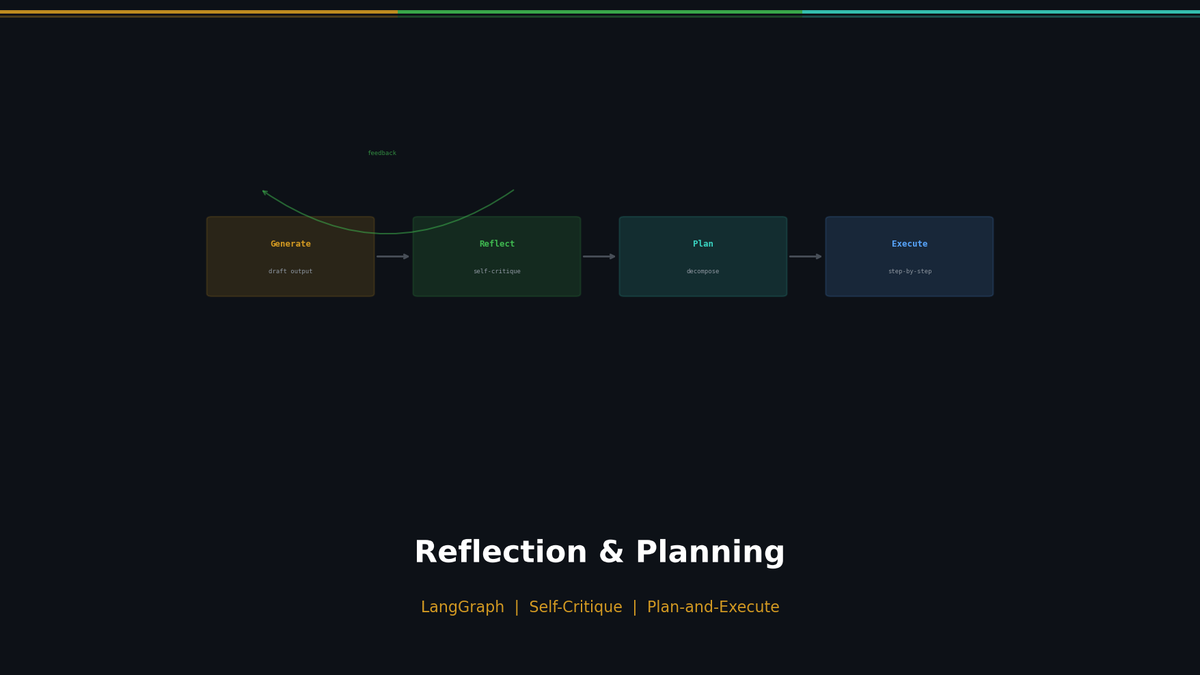
The ReAct Agent we built in Part 1 has one critical weakness: it doesn't know when it's wrong. Even if it answers "Seoul's population is 50 million," it remains fully confident. The Reflection pattern gives agents the ability to self-verify. And the Planning pattern gives them the ability to systematically decompose complex tasks.
Series: Part 1: ReAct Pattern | Part 2 (this post) | Part 3: MCP + Multi-Agent | Part 4: Production Deployment
Self-Critique: How Agents Verify Their Own Output
People revise their writing after a first draft. A first draft is rarely perfect. The same goes for LLM Agents. Expecting a perfect answer in one shot is unrealistic — building a loop where the agent verifies and improves its own output leads to markedly better quality.
The core idea is simple:
- Generator — Produces the output
- Reflector — Critically evaluates the output
- Refined Output — Generates an improved version incorporating the feedback
Repeating this cycle yields measurable quality improvements each time, because the agent pinpoints specific weaknesses and addresses them. The key is focusing on "what needs to be fixed," not on praise.
Implementing a Reflection Agent
Let's build the most basic Reflection Agent. We separate the Generator and Reflector, then wire them into an iterative improvement loop.
from openai import OpenAI
import json

client = OpenAI()

def generator(topic: str, feedback: str = "") -> str:
    """Generate an essay on the given topic. Incorporates feedback if provided."""
    prompt = f"Write a detailed essay about: {topic}"
    if feedback:
        prompt += f"\n\nPrevious feedback to address:\n{feedback}"
    response = client.chat.completions.create(
        model="gpt-4o-mini",
        messages=[{"role": "user", "content": prompt}],
        temperature=0.7
    )
    return response.choices[0].message.content

def reflector(essay: str) -> dict:
    """Critically evaluate the essay and return improvement feedback."""
    prompt = f"""You are a strict essay critic. Critique this essay:
{essay}

Focus on what needs to be FIXED, not what's good.
Return JSON: {{"score": 1-10, "feedback": "specific improvements needed", "is_good_enough": true/false}}
Score 8+ means is_good_enough = true."""
    response = client.chat.completions.create(
        model="gpt-4o-mini",
        messages=[{"role": "user", "content": prompt}],
        temperature=0.3  # Low temperature for consistent evaluation
    )
    return json.loads(response.choices[0].message.content)
The Generator produces content, while the Reflector acts as a critic. Now let's connect them in a loop.
def reflection_loop(topic: str, max_iterations: int = 3) -> str:
    """Runs the Generator → Reflector → Generator ... loop."""
    essay = generator(topic)
    print(f"[Draft complete] Length: {len(essay)} chars")

    for i in range(max_iterations):
        critique = reflector(essay)
        print(f"[Iteration {i+1}] Score: {critique['score']}/10")

        if critique["is_good_enough"]:
            print("✓ Quality threshold met — stopping iteration")
            return essay

        print(f"  Feedback: {critique['feedback'][:100]}...")
        essay = generator(topic, critique["feedback"])

    print("⚠ Max iterations reached — returning last version")
    return essay

# Execute
result = reflection_loop("Current state and outlook of Korea's AI industry")
When you run this, you'll see the score climbing each iteration — something like 5 -> 7 -> 8. Keeping the Reflector's temperature low is essential for consistent evaluation.
Self-Debugging Agent
The Reflection pattern is especially powerful for code generation. With code, you can simply run it to find out immediately whether it's correct or not.
import subprocess, tempfile

def generate_code(task: str, error: str = "") -> str:
    prompt = f"Write Python code to: {task}\nReturn ONLY code."
    if error:
        prompt += f"\n\nPrevious attempt failed:\n{error}\nFix the error."
    resp = client.chat.completions.create(
        model="gpt-4o-mini", messages=[{"role": "user", "content": prompt}]
    )
    return resp.choices[0].message.content.replace("```python","").replace("```","").strip()

def execute_code(code: str) -> dict:
    with tempfile.NamedTemporaryFile(mode="w", suffix=".py", delete=False) as f:
        f.write(code)
        f.flush()
        r = subprocess.run(["python", f.name], capture_output=True, text=True, timeout=10)
    return {"success": r.returncode == 0, "output": r.stdout, "error": r.stderr}

def self_debugging_loop(task: str, max_attempts: int = 3) -> str:
    code = generate_code(task)
    for attempt in range(max_attempts):
        result = execute_code(code)
        if result["success"]:
            print(f"✓ Success (attempt {attempt + 1})")
            return code
        print(f"✗ Error (attempt {attempt + 1}): {result['error'][:100]}")
        code = generate_code(task, result["error"])
    return code
No human intervention is needed — the error message itself serves as feedback. Concrete errors like NameError and TypeError effectively take on the Reflector's role.
Planning Agent: Decomposing Complex Tasks
ReAct and Reflection handle one thing at a time. But complex requests like "Compare AI investment between Korea and Japan, summarize their policies, and present the outlook in a table" tend to miss parts when processed all at once. A Planning Agent creates a plan first, then executes it step by step.
Inspired by Chain of Thought
According to Wei et al. (2022), simply adding "Let's think step by step" to a prompt boosted accuracy on the GSM8K math benchmark from 17.9% to 78.7%.
| Standard Prompting | Chain of Thought | |
|---|---|---|
| Process | Generates answer directly | Goes through explicit reasoning steps |
| Accuracy | Low on complex tasks | Significantly higher |
| Transparency | Black box | Reasoning process is visible |
| Error Tracing | Hard to identify where it went wrong | Can be pinpointed at the reasoning step |
Planning Agent extends this idea to the system level.
Generating Structured Plans with Pydantic
When plans are created as structured objects rather than free text, each step can be programmatically tracked and executed.
from pydantic import BaseModel, Field
from typing import List

class PlanStep(BaseModel):
    step_number: int = Field(description="Step number (starting from 1)")
    action: str = Field(description="Action to perform in this step")
    tool: str = Field(description="Tool to use (search, calculate, summarize)")
    expected_output: str = Field(description="Expected output")

class Plan(BaseModel):
    goal: str = Field(description="Final goal")
    steps: List[PlanStep] = Field(description="List of steps to execute in order")
Plan-and-Execute Architecture
It consists of three core components:
- Planner — Analyzes the task and generates a structured plan
- Executor — Executes each step using the appropriate tools
- Synthesizer — Combines all results into a final answer
def create_plan(task: str) -> Plan:
    response = client.beta.chat.completions.parse(
        model="gpt-4o-mini",
        messages=[
            {"role": "system", "content": "You are a task planner."},
            {"role": "user", "content": f"Create a plan to: {task}"}
        ],
        response_format=Plan
    )
    return response.choices[0].message.parsed

def execute_plan(plan: Plan, tools: dict) -> dict:
    results = {}
    for step in plan.steps:
        print(f"[Step {step.step_number}] {step.action}")
        if step.tool in tools:
            results[step.step_number] = tools[step.tool](step.action)
    return results

def synthesize(goal: str, results: dict) -> str:
    results_text = "\n".join(f"Step {k}: {v}" for k, v in results.items())
    resp = client.chat.completions.create(
        model="gpt-4o-mini",
        messages=[{"role": "user",
                    "content": f"Goal: {goal}\nResults:\n{results_text}\nSynthesize a final answer."}]
    )
    return resp.choices[0].message.content

# Execute
tools = {"search": web_search, "calculate": calculator, "summarize": summarize}
plan = create_plan("Write a comparative report on AI investment between Korea and Japan")
results = execute_plan(plan, tools)
answer = synthesize(plan.goal, results)
Replanning: Revising the Plan During Execution
In reality, things rarely go according to plan. Search results may come back empty, API calls may fail, or the data may differ from expectations. Replanning detects failures during execution and dynamically revises the plan.
def plan_and_execute_with_replan(task: str, tools: dict, max_replans: int = 2) -> str:
    plan = create_plan(task)
    replan_count = 0
    results = {}

    for step in plan.steps:
        try:
            results[step.step_number] = tools[step.tool](step.action)
        except Exception as e:
            if replan_count >= max_replans:
                break
            # Replan only remaining tasks from the failure point
            context = f"Goal: {task}\nDone: {results}\nFailed: {step.action}\nError: {e}"
            plan = create_plan(context)
            replan_count += 1

    return synthesize(plan.goal, results)
The key insight is that the new plan is created from the point of failure. Already-completed results are preserved, and only the remaining work is restructured.
ReAct vs Planning: When to Use Which?
The two patterns are not mutually exclusive. Choose based on the situation.
| ReAct | Planning | |
|---|---|---|
| Best for | Simple tasks, immediate feedback available | Complex, multi-step analysis |
| Decision style | Decides at every step | Establishes full plan, then executes |
| Strengths | Flexible, adaptive to changing conditions | Systematic, predictable outcomes |
| Weaknesses | Short-sighted, may miss the big picture | Upfront planning cost |
| Analogy | Driving by intuition without GPS | Looking up the route before departing |
| LLM calls | Proportional to task complexity | 1 planning call + N execution calls |
| Error recovery | Naturally handled in the next step | Requires Replanning |
Practical guidelines:
- Choose ReAct: When the question can be answered with 1-2 tool calls, or for exploratory tasks
- Choose Planning: When the task has 3+ steps where order matters, or for structured outputs like reports
- Add Reflection: Can be combined with any pattern when output quality is critical
Combining Patterns: Reflection + Planning
In practice, these patterns are combined. Validating a Planning Agent's plan with Reflection before execution leads to better results from the very first run.
def plan_with_reflection(task: str) -> Plan:
    plan = create_plan(task)
    # Evaluate the plan itself with the Reflector
    critique_prompt = f"""Review this plan for: {task}
Plan: {plan.model_dump_json(indent=2)}
Are there missing steps? Return JSON: {{"is_good": bool, "feedback": "..."}}"""
    critique = json.loads(client.chat.completions.create(
        model="gpt-4o-mini",
        messages=[{"role": "user", "content": critique_prompt}]
    ).choices[0].message.content)
    if not critique["is_good"]:
        plan = create_plan(f"{task}\n\nImprove based on: {critique['feedback']}")
    return plan
It's essentially thinking twice before committing to a plan. The Generator-Reflector loop is universally applicable — whether you're working with essays, code, or plans.
What's Next
Part 3 covers MCP (Model Context Protocol) and Multi-Agent architectures. When a single agent isn't enough, we'll explore how multiple agents can divide roles and collaborate.
References
- Wei, J. et al. (2022). Chain-of-Thought Prompting Elicits Reasoning in Large Language Models. NeurIPS 2022.
- Shinn, N. et al. (2023). Reflexion: Language Agents with Verbal Reinforcement Learning. NeurIPS 2023.
- Yao, S. et al. (2023). ReAct: Synergizing Reasoning and Acting in Language Models. ICLR 2023.
- Wang, L. et al. (2023). Plan-and-Solve Prompting. ACL 2023.
- LangGraph Documentation
Part 2 of 4 complete
2 more parts waiting for you
From theory to production deployment — subscribe to unlock the full series and all premium content.