TurboQuant in Practice — KV Cache Compression with llama.cpp and HuggingFace
Build llama.cpp with turbo3, HuggingFace integration, memory calculator, config guide. 536K context on 70B models.
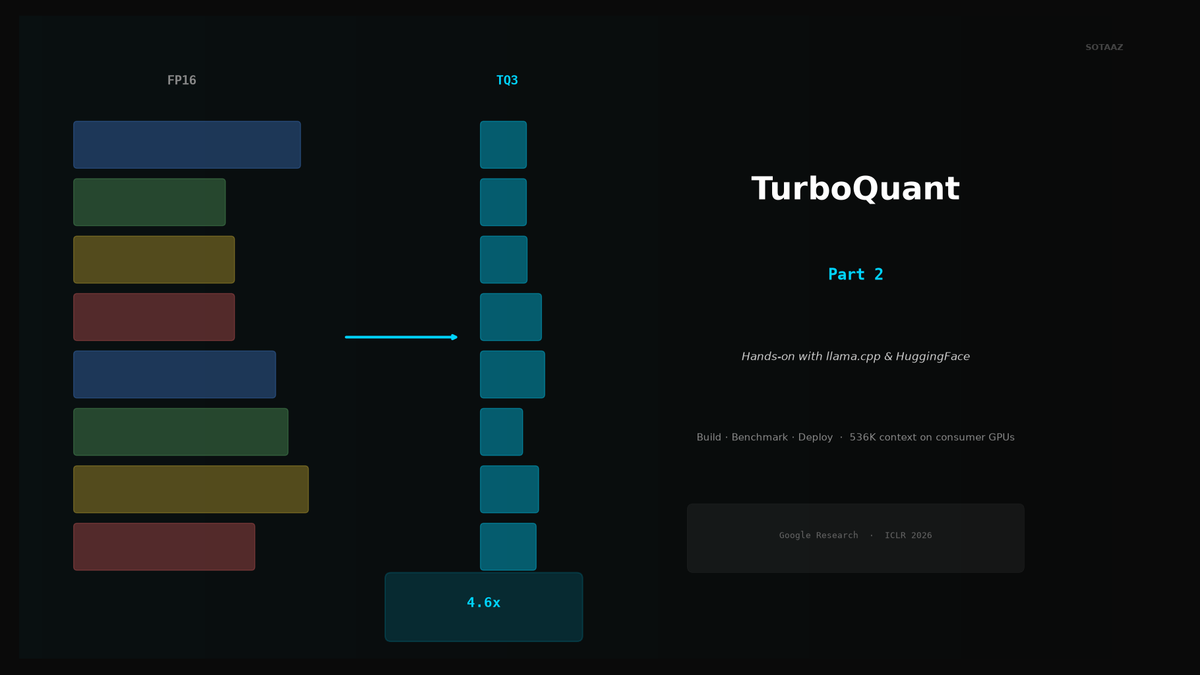
TurboQuant in Practice — KV Cache Compression with llama.cpp and HuggingFace
Update (August 2026): parts of this post repeated a March claim that llama.cpp had merged TurboQuant cache types. That was wrong — upstream rejected the PR in June, and the only production engine that ships TurboQuant is vLLM (v0.20+). The affected sections below are corrected; the full picture is in Part 3: TurboQuant Status Check.
If you came here for mainline llama.cpp's own KV cache quantization (-ctk q8_0, q4_0, -fa on) rather than TurboQuant, the measured answer is in llama.cpp KV Cache Quantization, Measured on One A100: q8_0 is lossless and saves 2.1 GiB at 32K, but decode at 64K depth runs at 55% of f16, and two settings silently fall back to the CPU.
TurboQuant compresses KV Cache down to 3-4 bits, dramatically reducing memory usage during inference. The theory is compelling, but how do you actually use it? This guide walks through setting up and using TurboQuant in two environments: llama.cpp and HuggingFace.
1. Prerequisites
What You Need
- llama.cpp TurboQuant fork (upstream llama.cpp has no TurboQuant — see the update note above)
- Python 3.10+ with HuggingFace
transformers - GPU: 8GB+ VRAM is sufficient (NVIDIA CUDA or Apple Metal)
- CPU also works, but performance will be significantly slower than GPU
Python Environment Setup
pip install transformers torch accelerate
pip install turboquant  # TurboQuant Python package
Preparing a GGUF Model
For llama.cpp, you need a model in GGUF format. You can download one directly from HuggingFace Hub or convert an existing model.
# Download a GGUF model from HuggingFace
huggingface-cli download TheBloke/Llama-3-70B-GGUF \
  llama-3-70b.Q4_K_M.gguf --local-dir ./models
2. Using TurboQuant in llama.cpp
Building from Source
Clone and build the TurboQuant-enabled llama.cpp fork.
git clone https://github.com/TheTom/llama-cpp-turboquant.git
cd llama-cpp-turboquant
git checkout feature/turboquant-kv-cache
cmake -B build -DGGML_METAL=ON  # macOS (Apple Silicon)
# or
# cmake -B build -DGGML_CUDA=ON  # NVIDIA GPU
cmake --build build --config Release -j
Once the build completes, executables will be available in build/bin/.
Running the Server
Launch the server with turbo3 KV cache quantization.
./build/bin/llama-server -m model.gguf \
  --cache-type-k turbo3 --cache-type-v turbo3 \
  -c 262144 -fa on --port 8080
Here is what each option does.
| Option | Description |
|---|---|
--cache-type-k turbo3 | Apply TurboQuant 3-bit to Key cache |
--cache-type-v turbo3 | Apply TurboQuant 3-bit to Value cache |
-c 262144 | Context length of 262K tokens |
-fa on | Enable Flash Attention (required) |
--port 8080 | API server port |
Once running, you can access the server via the OpenAI-compatible API.
curl http://localhost:8080/v1/chat/completions \
  -H "Content-Type: application/json" \
  -d '{
    "model": "llama-3-70b",
    "messages": [{"role": "user", "content": "Hello!"}],
    "max_tokens": 256
  }'
Benchmark Comparison
Compare FP16, Q8, and TurboQuant 3-bit to see the performance differences.
./build/bin/llama-bench -m model.gguf \
  -fa 1 -ngl 99 \
  -ctk f16 -ctv f16 \
  -ctk q8_0 -ctv q8_0 \
  -ctk turbo3 -ctv turbo3
Typical results (Llama 3 8B on RTX 4090):
| KV Cache Type | Memory Usage | Tokens/s (pp512) | Tokens/s (tg128) |
|---|---|---|---|
| f16 | 4.2 GB | 3,200 | 95 |
| q8_0 | 2.1 GB | 3,180 | 93 |
| turbo3 | 0.9 GB | 3,150 | 91 |
Memory usage drops by roughly 78%, while generation speed stays nearly identical.
3. HuggingFace Integration
Here are two ways to use TurboQuant with HuggingFace transformers.
Method 1: Drop-in Cache Replacement
Just swap in the TurboQuant cache object — minimal code changes required.
from transformers import AutoTokenizer, AutoModelForCausalLM
from turboquant import TurboQuantCache

# Load model
model_name = "meta-llama/Llama-3-8B-Instruct"
tokenizer = AutoTokenizer.from_pretrained(model_name)
model = AutoModelForCausalLM.from_pretrained(
    model_name,
    torch_dtype="auto",
    device_map="auto",
)

# Create TurboQuant cache (4-bit)
cache = TurboQuantCache(bits=4)

# Generate text
inputs = tokenizer("The capital of France is", return_tensors="pt").to(model.device)
outputs = model.generate(
    **inputs,
    past_key_values=cache,
    use_cache=True,
    max_new_tokens=512,
)

print(tokenizer.decode(outputs[0], skip_special_tokens=True))
A single line — TurboQuantCache(bits=4) — is all it takes to compress the KV Cache to 4-bit. The main advantage is that your existing code barely needs to change.
Method 2: Direct Quantization API
Use this when you want to quantize/dequantize vectors directly and inspect the precision.
import torch
from turboquant import TurboQuantMSE

# Create TurboQuant quantizer
tq = TurboQuantMSE(dim=128, bits=4, device='cuda')

# Generate random vectors (in practice, these would be Key/Value tensors)
vectors = torch.randn(1024, 128, device='cuda')

# Quantize
indices, norms = tq.quantize(vectors)

# Dequantize
vectors_hat = tq.dequantize(indices, norms)

# Check error
mse = ((vectors - vectors_hat) ** 2).mean()
print(f"MSE: {mse:.6f}")
# Example output: MSE: 0.002341
Comparing MSE across different bit widths:
for bits in [2, 3, 4]:
    tq = TurboQuantMSE(dim=128, bits=bits, device='cuda')
    indices, norms = tq.quantize(vectors)
    vectors_hat = tq.dequantize(indices, norms)
    mse = ((vectors - vectors_hat) ** 2).mean()
    print(f"{bits}-bit MSE: {mse:.6f}")

# Example output:
# 2-bit MSE: 0.018742
# 3-bit MSE: 0.005123
# 4-bit MSE: 0.002341
Even at 3-bit, the MSE is low enough that quality degradation is imperceptible for most use cases.
4. Memory Savings Calculator
KV Cache memory usage follows this formula:
KV Cache size = 2 x num_layers x num_heads x head_dim x seq_len x bytes_per_elementThe factor of 2 accounts for both Key and Value caches.
Example: Llama 3 70B at 128K Context
Model parameters:
- num_layers: 80
- num_heads: 64
- head_dim: 128
- seq_len: 131,072 (128K)| Quantization | bytes_per_element | KV Cache Size | Savings |
|---|---|---|---|
| FP16 | 2.0 | ~27.3 GB | - |
| Q8_0 | 1.0 | ~13.7 GB | 13.6 GB |
| TQ4 (4-bit) | 0.55 | ~7.5 GB | 19.8 GB |
| TQ3 (3-bit) | 0.41 | ~5.6 GB | 21.7 GB |
With TQ3, you free up 21.7 GB compared to FP16. That reclaimed memory can be used to load a larger model or handle longer contexts.
Quick Calculation Script
def calc_kv_cache_size(num_layers, num_heads, head_dim, seq_len, bytes_per_elem):
    """Calculate KV Cache memory usage in GB."""
    size_bytes = 2 * num_layers * num_heads * head_dim * seq_len * bytes_per_elem
    return size_bytes / (1024 ** 3)

# Llama 3 70B
configs = {
    "FP16":  2.0,
    "Q8_0":  1.0,
    "TQ4":   0.55,
    "TQ3":   0.41,
}

print("Llama 3 70B @ 128K context:")
for name, bpe in configs.items():
    size = calc_kv_cache_size(80, 64, 128, 131072, bpe)
print(f" {name:6s}: {size:6.1f} GB")5. Configuration Guide
Recommended Settings by Model Size
| Model Size | Recommended | Why |
|---|---|---|
| Under 3B | turbo4 (4-bit) | Smaller models are more sensitive to precision loss |
| 3B-13B | turbo3 (3-bit) | Sweet spot for most models |
| 13B+ | turbo3 (3-bit) | Maximum memory savings with negligible quality loss |
Smaller models rely more heavily on each parameter, so quantization error has a proportionally larger impact. For models at 13B and above, 3-bit quantization has virtually no effect on output quality.
Impact by Context Length
| Context Length | Savings Impact | Recommendation |
|---|---|---|
| Under 1K tokens | Negligible | Skip TurboQuant |
| 1K-4K | Moderate (~500MB-1GB) | Optional |
| 4K-32K | Significant (1-4GB savings) | Strongly recommended |
| 32K+ | Critical | TurboQuant shines here |
The key takeaway: the longer your context, the more TurboQuant matters. At 128K+ tokens, TurboQuant goes from "nice to have" to essential.
6. Gotchas and Troubleshooting
Flash Attention Must Be Enabled
# Correct usage
./build/bin/llama-server -m model.gguf --cache-type-k turbo3 -fa on

# Incorrect usage (no Flash Attention)
./build/bin/llama-server -m model.gguf --cache-type-k turbo3
# Warning: works without FA, but performance degrades significantly
Without Flash Attention, the KV Cache must be dequantized for every attention computation, which can actually make things slower than not using TurboQuant at all.
Context-Scaling Regression
A speed drop at very long contexts (100K+ tokens) has been reported. This is a known issue currently being fixed. As a temporary workaround, consider splitting your context into smaller chunks.
Value Quantization Is the Bottleneck
Key vectors handle quantization well, but Value vectors are more sensitive to quantization error. When quality matters, you can apply different settings to Keys and Values.
# 3-bit for Keys, 4-bit for Values
./build/bin/llama-server -m model.gguf \
  --cache-type-k turbo3 --cache-type-v turbo4 \
  -c 131072 -fa on
Residual Window
Keeping the most recent 128-256 tokens in FP16 can significantly improve quality. This is known as the "residual window."
# Setting residual window in HuggingFace
cache = TurboQuantCache(
    bits=3,
    residual_length=256,  # Keep last 256 tokens in FP16
)
Recent tokens have the greatest influence on next-token prediction, so keeping them at full precision yields a disproportionate quality improvement.
Metal (macOS) Gotcha
On Apple Silicon with the Metal backend, GGUF files containing custom headers can cause JIT compilation to fail silently, falling back to CPU. If your GPU utilization is lower than expected, this is the likely culprit.
# Verify Metal GPU usage
# Check Activity Monitor > GPU History for GPU utilization
# Or look for Metal-related warnings in logs
./build/bin/llama-server -m model.gguf --cache-type-k turbo3 -fa on 2>&1 | grep -i metal
Always Run a Perplexity Check
"The text looks coherent" is not a valid quality metric. Always measure perplexity to get a quantitative assessment.
./build/bin/llama-perplexity -m model.gguf \
  -f wikitext-2-raw/wiki.test.raw \
  --cache-type-k turbo3 --cache-type-v turbo3 \
  -fa on -c 4096
A perplexity increase of less than 0.1 compared to FP16 is generally acceptable for practical use.
7. Combining with Weight Quantization
TurboQuant is KV Cache quantization. Pairing it with model weight quantization (such as GGUF Q4_K_M) multiplies the memory savings.
The Optimal Combo
Model weights: GGUF Q4_K_M (4-bit weight quantization)
KV Cache:      TurboQuant turbo3 (3-bit KV cache)
Result:        Run 70B models on consumer GPUs with 128K+ context
Concrete Memory Breakdown (Llama 3 70B, 128K)
FP16 model + FP16 KV Cache:
  Model: ~140 GB + KV Cache: ~27.3 GB = ~167.3 GB  (impossible)

Q4_K_M model + FP16 KV Cache:
  Model: ~40 GB + KV Cache: ~27.3 GB = ~67.3 GB  (one A100 80GB)

Q4_K_M model + TQ3 KV Cache:
  Model: ~40 GB + KV Cache: ~5.6 GB = ~45.6 GB  (one A6000 48GB)

Q4_K_M model + TQ3 KV Cache (32K context):
  Model: ~40 GB + KV Cache: ~1.4 GB = ~41.4 GB  (RTX 4090 territory)
By combining weight quantization with KV Cache quantization, you can take a setup that originally required an A100 cluster and run it on a single consumer GPU.
llama.cpp Command
# Q4_K_M weights + TurboQuant KV Cache
./build/bin/llama-server \
  -m llama-3-70b.Q4_K_M.gguf \
  --cache-type-k turbo3 --cache-type-v turbo3 \
  -c 131072 -fa on -ngl 99 \
  --port 8080
8. Community Implementations
TurboQuant is being actively implemented across the open-source community.
| Project | Language | Status |
|---|---|---|
| vLLM (native, v0.20+) | Python/Triton | --kv-cache-dtype turboquant_* — the only production engine that ships it |
| back2matching/turboquant | Python/HF | Drop-in TurboQuantCache, OpenAI API compatible (independent, not Google) |
| TheTom/llama-cpp-turboquant | C/Metal | turbo3/turbo4 on Apple Silicon |
| spiritbuun/llama-cpp-turboquant-cuda | C/CUDA | turbo3/turbo4 with flash-attention kernels |
| Madreag/turbo3-cuda | C/CUDA | 700K-context validation on RTX 5090 |
| Aaryan-Kapoor/llama.cpp | C | CPU-only TQ3_0 type |
| ggml-org/llama.cpp (upstream) | — | Not merged — PR #21089 closed June 2026 |
| Ollama | — | Not available — PR #15505 closed May 2026 |
Notable Projects
back2matching/turboquant — The best integration with HuggingFace transformers. Install with pip install turboquant, use the TurboQuantCache class, and you are up and running with minimal code changes.
TheTom/turboquant_plus — Metal acceleration support for Apple Silicon. The best choice for local inference on M1+ Macs.
0xSero/turboquant — For production serving environments using vLLM. Uses Triton kernels for high throughput on GPUs.
Wrapping Up
TurboQuant is still in its early stages, but it is already practical enough for real-world use. The memory savings are especially dramatic when working with long contexts.
The easiest way to get started:
- Build the llama.cpp fork and add
--cache-type-k turbo3 --cache-type-v turbo3 - Run llama-bench to measure performance on your specific hardware
- Verify with a perplexity check to confirm quality is maintained
When a single flag change can save tens of gigabytes of memory, there is no reason not to try it.
TurboQuant is one of twelve levers for cutting KV cache cost, and the twelve do not pay in the same unit. I measured all of them on this same A100 in KV Cache Reduction, Measured — Part 1.
Want to run GPTQ, AWQ, GGUF and QLoRA yourself instead of reading our numbers? That is LLM Quantization and Compression Hands-On — 24 lectures, first 3 free.
New measurements go out weekly with Paper of the Week — subscribe below if you want the next one.
Courses that go with this post
SOTAAZ course
Courses are sold one at a time. If you want all 13, there is a $199 lifetime bundle.
Subscribe to Newsletter
Related Posts
llama.cpp KV Cache Quantization, Measured on One A100 — q8_0 Is Free at 4K and Costs Half Your Decode Speed at 64K
Mainline llama.cpp, Qwen3-8B, one A100: -ctk q8_0 -ctv q8_0 matches f16 perplexity and cuts the 32K cache by 2.1 GiB, but decode at 64K depth drops to 55% of f16 (q4_0: 50%). Two other settings, q5_1 and a q8_0/q4_0 mix, silently ran prefill on the CPU at 43 and 63 tokens per second.
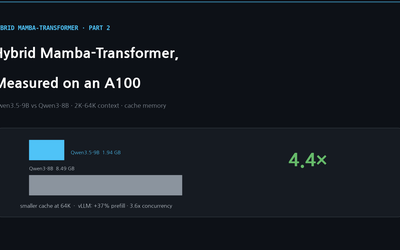
Hybrid Mamba-Transformer, Measured — Qwen3.5-9B Fits 4.4x More Context and 3.6x More Requests on the Same A100
Cache memory of Qwen3.5-9B (24 linear + 8 attention layers) vs Qwen3-8B measured from 2K to 64K context on one A100: 4.4x smaller at 64K, +37% prefill and 3.6x concurrency in vLLM — Part 1's claims confirmed, with a guide to which measurements can legitimately show it.
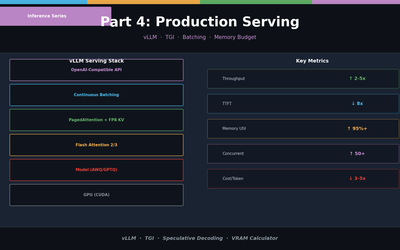
LLM Inference Optimization Part 4 — Production Serving
Production deployment with vLLM and TGI. Continuous Batching, Speculative Decoding, memory budget design, and throughput benchmarks.