Calling Microsoft-Decision-1 on OpenRouter: Six Things We Hit on Day One
A short field guide from our first day with Microsoft-Decision-1 through OpenRouter: it uses the System One endpoint, not chat completions; choice options must be a map; confidence is not the top probability; the model ID carries a date; requests hit rate limits; and the same question cost us 3.5 to 4.8 times as much on Jev. Working Python included.
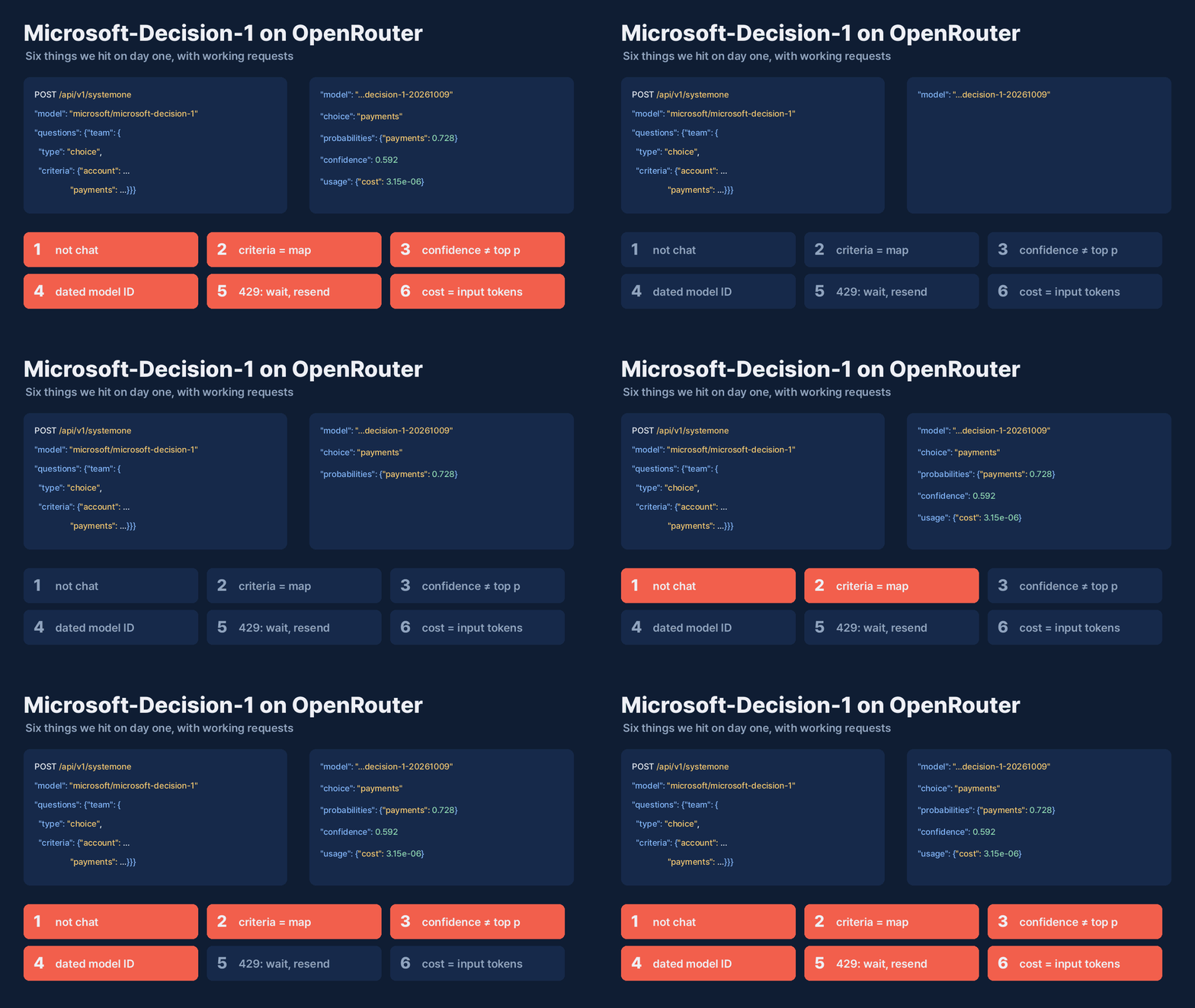
Calling Microsoft-Decision-1 on OpenRouter: Six Things We Hit on Day One
Microsoft released Microsoft-Decision-1 on 9 October. It doesn't write text. You give it some content and a few questions, each with a fixed set of answers, and it returns a probability for every answer. OpenRouter's model page calls them "a calibrated probability for each fixed answer option," one that "can determine when an application acts, defers, or asks for review."
It is available in Microsoft Foundry and on OpenRouter. We used OpenRouter, because we were already measuring the model and wanted one key for it and for Jev. This post is what we ran into on the first day, with the requests and responses we actually got. The measurement itself (how far you can trust the probabilities) is in a separate post.
1. It is not a chat model, so use the System One endpoint
The OpenRouter model page says the model "runs on the OpenRouter Decisions API rather than the OpenAI-compatible chat endpoint." Code that sends messages to /chat/completions is the wrong shape. We used OpenRouter's System One endpoint, which takes the same request format as TypeSafe's Jev API:
curl https://openrouter.ai/api/v1/systemone \
  -H "Authorization: Bearer $OPENROUTER_API_KEY" \
  -H "Content-Type: application/json" \
  -d '{
    "model": "microsoft/microsoft-decision-1",
    "state": "My checkout page shows a blank screen after I click Pay. I have tried two browsers.",
    "questions": {
      "team": {
        "type": "choice",
        "instructions": "Which team should own this ticket?",
        "criteria": {
          "account": "Login, permissions, or profile issues.",
          "frontend": "Rendering, layout, or browser compatibility issues.",
          "payments": "Checkout, billing, or payment processing issues."
        }
      }
    }
  }'
What came back:
{
  "model": "microsoft/microsoft-decision-1-20261009",
  "answers": {
    "team": {
      "type": "choice",
      "choice": "payments",
      "probabilities": {"account": 0.0038, "frontend": 0.2679, "payments": 0.7283},
      "confidence": 0.5924
    }
  },
  "usage": {"input_tokens": 75, "output_tokens": 1, "cost": 3.15e-06},
  "provider": "Azure"
}
(We shortened the probabilities to four decimals here. The API returns full floats.)
state is the content to judge, either a string or a JSON object. questions is a map, so one request can ask several questions. Three question types worked for us:
choice: pick one of the named options. The answer haschoice,probabilitiesandconfidence.noul: yes or no. The answer is a single number, the probability of yes:{"type": "noul", "noul": 0.9933}.instructionsalone was enough; we sent nocriteria.score: an ordered scale, withcriteriaas a list of level descriptions. The answer hasscore(the expected level, here 1.99 on a 0-2 scale),probabilitiesper level,legendandconfidence.
OpenRouter's docs also show the TypeSafe Python and JavaScript SDKs working against this endpoint by changing the base URL to https://openrouter.ai/api. We didn't test the SDKs; everything here is plain HTTP.
2. Choice options must be a map, even without descriptions
If you only have labels, the natural thing is a list: "criteria": ["account", "frontend", "payments"]. OpenRouter rejected it with HTTP 400:
"expected": "record", "code": "invalid_type", "path": ["questions", "team", "criteria"],
"message": "Invalid input: expected record, received array"
A map with empty descriptions works: {"account": null, "frontend": null, "payments": null}. We sent 700 requests in that shape to Decision-1 during our measurement and none was rejected. Lists are fine for score, where the order of the levels is the point.
Write the descriptions anyway if you can. The option name and its description both go into the model's input, and in our test of a similar open model, a mismatched label changed the answer far more than the description did.
3. `confidence` is not the top probability
In the response above, the chosen answer had probability 0.728, and confidence was 0.592. They are different numbers. In another request with three questions, payments had 0.795 and confidence 0.693. For the score question, confidence was 0.990 while the top level had 0.993.
Microsoft's post and the OpenRouter page don't say how confidence is computed. In the decider-ai package (1.6.0, decider/systemone.py), which serves the open decider-4b model in the same request format, confidence is TypeSafe's confidence measure and the largest probability is returned separately as x_p_max. We don't know whether Decision-1 uses the same formula. Whatever the formula, the practical point is the same: if you route on "act when above 0.9," decide which of the two numbers you mean and log it. A threshold tuned on one will not transfer to the other. In our measurement we used the top probability.
4. The model ID has a date, and the weights change
The request says microsoft/microsoft-decision-1; the response says microsoft/microsoft-decision-1-20261009. The OpenRouter page explains why that matters: "Weights are updated continually while the API shape stays the same."
Jev answers the same way: typesafe/jev-1.13 came back as typesafe/jev-1.13-20260917.
So the same request can return different probabilities next month, with no change on your side. It also varied within the same version: when we sent the same 500 requests twice, Decision-1's probabilities differed on 439 of them, by 0.0004 at the median and 0.060 at most, and one answer changed. We store the returned model on every row and only compare results that share it. If you tune a threshold on this model, record the date it was tuned on.

5. Expect rate limits, and retry with a wait
During our measurement, some requests came back with HTTP 429 from the Azure deployment behind OpenRouter: "Your requests to Microsoft-Decision-1 ... have exceeded request rate limit." Across our measurement, 36 of 4,236 requests to Decision-1 got a 429; Jev, sent alongside, got none. All 36 went through on a resend, the worst after four resends. In our first test, two immediate retries hit the same limit; waiting a few seconds before resending worked.
Here is a minimal version in Python with only the standard library. It handles only 429: it follows Retry-After when the response gives one in seconds, and otherwise waits with exponential backoff and random jitter. (We didn't record whether OpenRouter sent Retry-After on our 429s. Our measurement runner waited 2, 4, 8, 16, 32 and 60 seconds.) Other errors, timeouts and connection failures are left to you.
import json, os, random, time, urllib.request, urllib.error

URL = "https://openrouter.ai/api/v1/systemone"
KEY = os.environ["OPENROUTER_API_KEY"]

def decide(state, questions, model="microsoft/microsoft-decision-1", max_tries=6):
    """Minimal example: retries only HTTP 429; any other error is raised."""
    body = json.dumps({"model": model, "state": state, "questions": questions}).encode()
    for attempt in range(max_tries):
        req = urllib.request.Request(URL, data=body, headers={
            "Authorization": "Bearer " + KEY, "Content-Type": "application/json"})
        try:
            with urllib.request.urlopen(req, timeout=60) as r:
                return json.loads(r.read())  # keep res["model"]: the dated version that answered
        except urllib.error.HTTPError as e:
            if e.code != 429:
                raise  # 400 means the request is malformed; retrying won't help
            after = e.headers.get("Retry-After", "")
            if after.isdigit():
                wait = int(after)  # the server says how long to wait
            else:
                wait = min(60, 2 ** (attempt + 1)) * random.uniform(0.5, 1.0)  # backoff with jitter
            time.sleep(wait)
    raise RuntimeError("still rate-limited after retries")

res = decide("I was charged twice for my subscription.",
             {"refund": {"type": "noul", "instructions": "Is the customer asking for money back?"}})
print(res["model"], res["answers"]["refund"]["noul"])
We also kept one second between requests to the same model. That did not remove 429s; we didn't test whether it reduced them. Sent one at a time this way, the 8,400 requests of our measurement run (both models) took about 1 hour 50 minutes, roughly 4,600 an hour. Sending in parallel does not lift the limit. If you need more throughput, check your account's and the provider's limits first, then use a small, bounded number of concurrent requests with the same backoff.
6. Cost is input tokens, and the same question costs more on Jev
On 10 October OpenRouter listed Decision-1 at $0.042 per million input tokens and $0 for output. Each response carries its own usage.cost, which matched input tokens × $0.042 per million in every successful response we got: 8,419 in all, the 8,400 of the measurement run plus 19 from the runner test and this guide's examples, both models: the ticket question above was 75 input tokens and $0.00000315.
At that rate, a request of about 125 input tokens costs $0.00000525, so 100,000 of them come to about $0.53 (125 × 100,000 × $0.042 / 1,000,000).
Jev 1.13 is on the same endpoint at the same listed price; change model to typesafe/jev-1.13. But the same request counted more input tokens on Jev. For the ticket question it was 360 input tokens and $0.0000151, about 4.8 times as much. (Jev's usage also shows output tokens, 38 here against Decision-1's 1, but output is priced at $0, so they don't change the cost.) On our classification requests the ratio was about 3.5 (434 against 125 tokens). We don't know why Jev counts more tokens for the same text; the response doesn't say. If you compare the two on cost, compare usage.cost, not the price list.
One more difference showed up in the same responses: Jev returns probabilities rounded to two decimals ("frontend": 0.15, "account": 0), while Decision-1 returns full floats. If you compute anything that needs small probabilities, such as log-loss, a rounded 0 will need a floor.
Before you act on the probabilities
Everything above is about getting a correct response. Whether the probabilities are good enough to let the application act on its own is a different question. It depends on your labels, your data and which number you threshold on. We measured that on 700 labeled questions, including cases where the option names and their descriptions disagree, in the companion post.