How to Run Qwen Locally: Which File Fits Your GPU (8, 12, 16 or 24 GB), Measured
Which Qwen GGUF fits an 8, 12, 16 or 24 GB GPU, with measured memory: 9B Q4_K_M 5.8 GiB, 27B Q3_K_XL 13.1 GiB, 35B-A3B 7.3 GiB with 30 layers' experts on the CPU.
How to Run Qwen Locally: Which File Fits Your GPU (8, 12, 16 or 24 GB), Measured
Running Qwen on your own machine takes two steps: download one GGUF file and start it with llama.cpp or Ollama. The hard part is choosing the file. Each model comes in a dozen quantized versions, and the right one depends on how much memory your graphics card has.
So I downloaded the versions most people pick, loaded each one, and recorded how much GPU memory it actually used, how fast it ran, and how far its answers drifted from the 8-bit version. The models are the three current ones people run locally: Qwen3.5-9B for small cards, Qwen3.8-27B, the most downloaded of this year's Qwen GGUFs on Unsloth's page, and Qwen3.6-35B-A3B, a mixture-of-experts model that computes only about 3B parameters per token.
The short answer
| Your GPU memory | What to run | GPU memory used (8K / 32K context) | Generation speed on my test GPU |
|---|---|---|---|
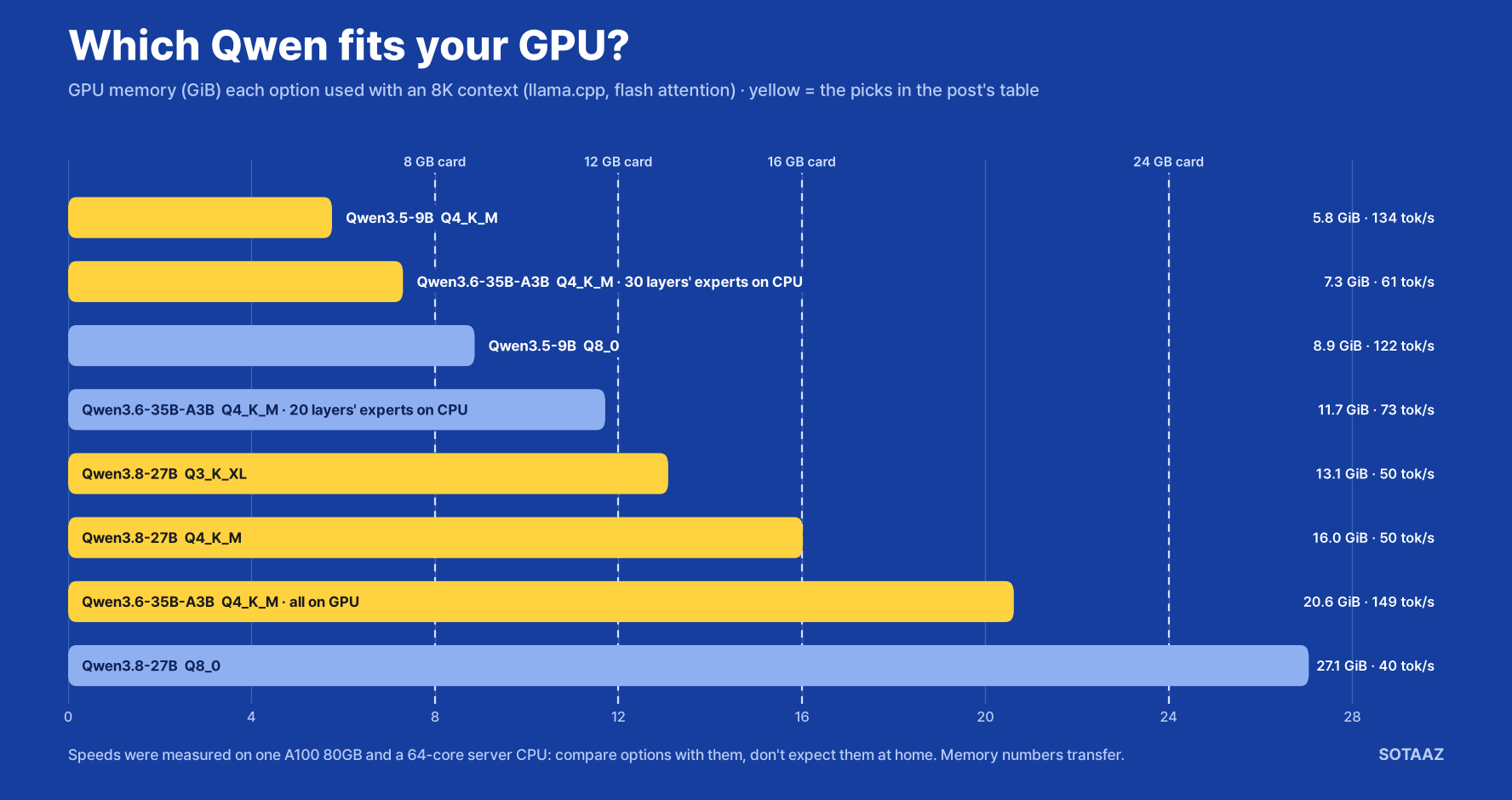
| 8 GB | Qwen3.5-9B Q4_K_M | 5.8 / 6.5 GiB | 134 tokens/s |
| 12 GB | Qwen3.6-35B-A3B Q4_K_M, experts of 30 layers on the CPU | 7.3 GiB (8K) | 61 tokens/s |
| 16 GB | Qwen3.8-27B Q3_K_XL | 13.1 / 14.6 GiB | 50 tokens/s |
| 24 GB | Qwen3.8-27B Q4_K_M, or Qwen3.6-35B-A3B Q4_K_M | 16.0 / 17.5 GiB, or 20.6 / 21.1 GiB | 50, or 149 tokens/s |
| No GPU | Qwen3.5-9B Q4_K_M on the CPU | system RAM instead | about 10 tokens/s |
The speeds come from one A100 80GB and a 64-core server CPU, and most home machines will be slower. Use them to compare the options with each other, not to predict your own tokens per second.
The memory numbers are what the running server held on the card, so they do carry over to other GPUs. They are in GiB; a card sold as 12 GB has about 12 GiB, so you can compare directly, and you should leave half a gigabyte to a gigabyte free for your desktop. That is why the 12 GB row keeps 30 layers' experts on the CPU (7.3 GiB) rather than 20: 20 layers took 11.7 GiB and ran at 73 tokens/s, which leaves only 0.3 GiB on a 12 GB card and suits only a card with no display attached. The 30-layer setting fits an 8 GB card too.
The 16 GB row is the 27B at Q3_K_XL because Q4_K_M already took 16.0 GiB at 8K. The split 35B-A3B was faster on this server, but its speed depends on system memory, and this server has eight memory channels where a desktop has two. The 27B sits entirely on the GPU, so its speed at home should be closer to what I measured.
Going from an 8K to a 32K context added only 0.5 to 1.5 GiB. These Qwen models use full attention in only one layer out of four, so the cache that grows with context stays small. If you still need room for a longer context, llama.cpp can store that cache in 8 bits with -ctk q8_0 -ctv q8_0; I measured what it costs in speed in llama.cpp KV cache quantization, measured on one A100.
How to run it
With llama.cpp, download the file and start the server:
hf download unsloth/Qwen3.8-27B-GGUF Qwen3.8-27B-UD-Q4_K_M.gguf --local-dir models
llama-server -m models/Qwen3.8-27B-UD-Q4_K_M.gguf -ngl 99 -fa on -c 8192
-ngl 99 puts every layer on the GPU, -fa on turns on flash attention, and -c sets the context length. The server answers on http://127.0.0.1:8080 with an OpenAI-compatible API and a chat page in the browser.
With Ollama it is one line, for the models Ollama lists:
ollama run qwen3.5:9bOllama can also pull a GGUF file straight from Hugging Face (ollama run hf.co/<repo>:<quant>); I did not time that path. For a step-by-step install of Ollama, llama.cpp and vLLM, see the Qwen 3.5 local installation guide.
Speed: Ollama generated about 23% slower here
Measured back to back at low server load, Qwen3.5-9B at Q4_K_M generated 102 tokens/s through Ollama, against 131 and 134 tokens/s through llama.cpp in the runs just before and just after it. Prompt processing was closer: 3,560 tokens/s through Ollama on five different prompts of about 620 tokens, against 3,906 to 4,027 through llama.cpp on 512-token prompts, so that pair is not an exact match.
Ollama used its own Q4_K_M file (6.6 GB, against 5.7 GB for Unsloth's) and its own build of llama.cpp. This compares the two setups as you would install them, not the engines alone. If speed matters, llama.cpp was worth the extra setup; if you want one command, Ollama still gave 100 tokens/s.
Quality: what you lose to a smaller file
I measured how far each file's next-token predictions moved from the same model's Q8_0 file on 80 chunks of WikiText-2. Q8_0 is the reference because my connection could not fetch the full-precision originals in a reasonable time, so these numbers show the extra loss below 8 bits, not the total.
| File | File size | Same top token as Q8_0 | KL divergence | Perplexity vs Q8_0 |
|---|---|---|---|---|
| Qwen3.5-9B Q4_K_M | 5.7 GB | 92.8% | 0.030 | +0.9% |
| Qwen3.5-9B Q3_K_XL | 5.0 GB | 90.6% | 0.043 | +2.2% |
| Qwen3.8-27B Q4_K_M | 16.5 GB | 95.9% | 0.009 | +0.2% |
| Qwen3.8-27B Q3_K_XL | 13.1 GB | 93.1% | 0.025 | +1.6% |
The bigger model held up a little better. The 27B at 3 bits stayed slightly closer to its own 8-bit version (93.1% same top token, KL divergence 0.025) than the 9B at 4 bits did (92.8%, 0.030). And on the A100 the 27B generated at the same 50 tokens/s at Q3_K_XL and Q4_K_M, so going down to Q3_K_XL costs little speed as well. This measures agreement with the 8-bit model on encyclopedia text, not accuracy on your task.
When it doesn't fit: split the mixture-of-experts model, not the dense one
When a model does not fit, llama.cpp can keep part of it in system RAM. How you split it decided the speed far more than the model size did.
Qwen3.6-35B-A3B has 256 experts per layer but uses 8 per token. --n-cpu-moe N keeps the expert weights of the first N layers in system RAM and everything else on the GPU:
| Qwen3.6-35B-A3B Q4_K_M | GPU memory (8K) | Generation |
|---|---|---|
| Everything on the GPU | 20.6 GiB | 149 tokens/s |
| Experts of 10 layers on the CPU | 16.2 GiB | 105 tokens/s |
| Experts of 20 layers on the CPU | 11.7 GiB | 73 tokens/s |
| Experts of 30 layers on the CPU | 7.3 GiB | 61 tokens/s |
| All experts on the CPU | 2.6 GiB | 52 tokens/s |
The dense 27B has no such split, so the usual way is to put fewer layers on the GPU with -ngl:
| Qwen3.8-27B Q4_K_M | GPU memory (8K) | Generation |
|---|---|---|
| All layers on the GPU | 16.0 GiB | 50 tokens/s |
| 48 layers on the GPU | 12.3 GiB | 10.7 tokens/s |
| 32 layers on the GPU | 8.7 GiB | 6.2 tokens/s |
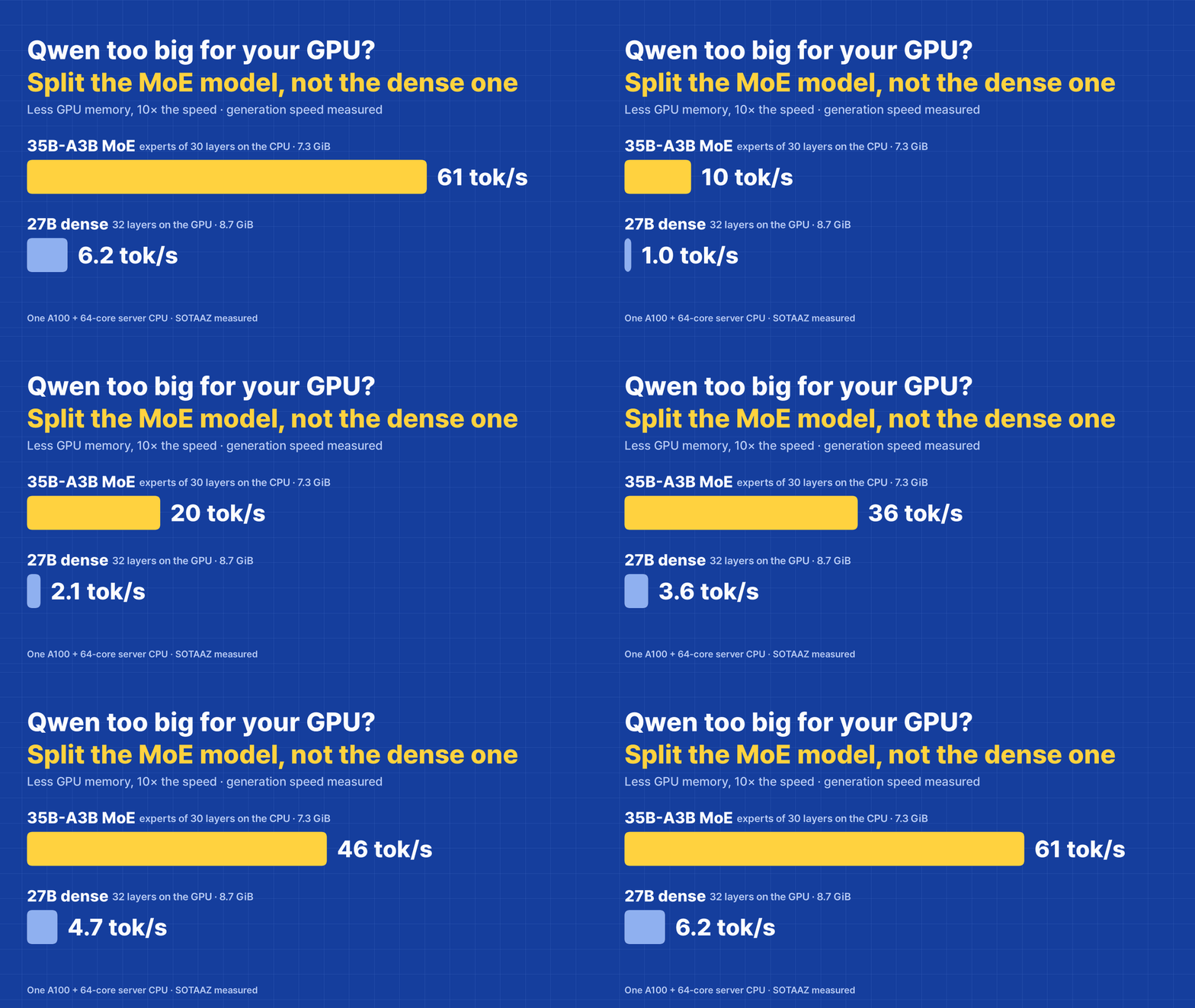
With the settings from the table, the 35B mixture-of-experts model used 7.3 GiB and generated 61 tokens/s, while the 27B dense model used more, 8.7 GiB with 32 layers on the GPU, and generated 6.2 tokens/s, about a tenth. At about 12 GiB (11.7 against 12.3) the gap was similar: 73 against 10.7 tokens/s. The reason is how much has to cross from system RAM for each token: the dense model reads every weight it left there, while the mixture-of-experts model reads only the 8 experts it picked. The 64-core server CPU and its eight memory channels make both CPU-side numbers higher than a desktop would give, so treat the gap, not the absolute speeds, as the finding. Limiting llama.cpp to 8 threads changed these speeds by less than 10%, which suggests memory bandwidth rather than core count is the limit.
No GPU at all
Qwen3.5-9B Q4_K_M on the CPU alone generated 9.6 to 10.4 tokens/s and read the prompt at 41 tokens/s with 8 threads (162 with all 64 cores). That is usable for chat and slow for long documents. On a desktop with two memory channels, expect less.
What this does not show
One GPU (A100 80GB PCIe) and one server CPU, so only the memory numbers carry over to your machine as they are. Quality is measured against each model's 8-bit file on WikiText-2, not against the original weights and not on any task. The 35B-A3B file is bartowski's Q4_K_M; the others are Unsloth's. I did not test Apple Silicon, LM Studio, or context lengths above 32K.
Setup: one A100 80GB PCIe (driver 580.178.04), AMD EPYC 7742 (64 cores). llama.cpp 4da6337 built with CUDA 12.1; llama-bench -ngl 99 -fa 1 -p 512 -n 128 -r 3 for speed; GPU memory read from nvidia-smi (MiB, shown here as GiB) while llama-server -ngl 99 -fa on -c 8192 (or 32768) was loaded with its default 4 slots. Files: unsloth/Qwen3.5-9B-GGUF (Q4_K_M, UD-Q3_K_XL, Q8_0), unsloth/Qwen3.8-27B-GGUF (UD-Q4_K_M, UD-Q3_K_XL, Q8_0), bartowski/Qwen_Qwen3.6-35B-A3B-GGUF (Qwen_Qwen3.6-35B-A3B-Q4_K_M.gguf, revision 5c2410d). Quality: llama-perplexity --kl-divergence on WikiText-2 test, 80 chunks of 512 tokens, against each model's Q8_0. Ollama 0.34.0 (snap) with qwen3.5:9b (Q4_K_M): five different prompts of about 620 tokens, 128 generated tokens each, median after a warm-up call, with llama.cpp runs immediately before and after. The Ollama and CPU-only numbers come from a second pass in which every step started at a one-minute load average below 4 (scripts/qwen-local/paired-rerun.sh); the first pass had run them while other jobs pushed the load above 30. CPU-only runs used -ngl 0. Measured 2026-09-28.
Courses that go with this post
SOTAAZ course
Courses are sold one at a time. If you want all 13, there is a $199 lifetime bundle.
Subscribe to Newsletter
Related Posts
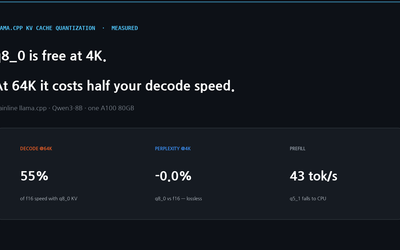
llama.cpp KV Cache Quantization, Measured on One A100 — q8_0 Is Free at 4K and Costs Half Your Decode Speed at 64K
Mainline llama.cpp, Qwen3-8B, one A100: -ctk q8_0 -ctv q8_0 matches f16 perplexity and cuts the 32K cache by 2.1 GiB, but decode at 64K depth drops to 55% of f16 (q4_0: 50%). Two other settings, q5_1 and a q8_0/q4_0 mix, silently ran prefill on the CPU at 43 and 63 tokens per second.
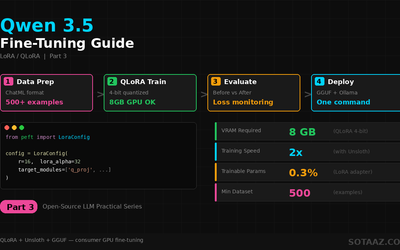
Qwen 3.5 Fine-Tuning Practical Guide — Build Your Own Model with LoRA
Complete guide to fine-tuning Qwen 3.5 with LoRA/QLoRA. From 8GB GPU QLoRA setup to Unsloth optimization, GGUF conversion, and Ollama deployment.
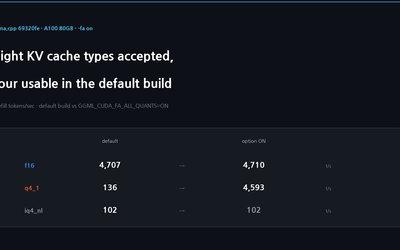
llama.cpp -ctk and -ctv: The Default CUDA Build Supports Four Values
llama-bench accepts eight KV cache types and llama-server accepts nine, but the default CUDA build compiles FlashAttention kernels for only f16, bf16, q8_0 and q4_0, and only when K and V match. Every other setting has no kernel and prefills at 83-284 tokens per second against about 4,600. Measured on llama.cpp 69320fe on an A100.